Top 7 Alternatives of Knockio for Field Service Workflows
Your field service team is losing hours to manual route planning and data entry. That is why you are evaluating Knockio alternatives in the first place. The right tool needs to match your workflow, not force you into a sales-centric model.
By the end of this article, you will have a clear comparison of seven options, including what to look for in core field service capabilities versus sales focus, and how each handles Salesforce integration. You will also get a definitive number one pick based on AI-powered automation and a verified price point.
What to Look For in Field Service Workflow Alternatives
When evaluating field service workflow alternatives, it's crucial to understand the core capabilities that differentiate field service management (FSM) software from sales-focused tools. The right platform should streamline how your technicians complete jobs, communicate with customers, and manage daily operations in the field.
Start by mapping your current workflow from the moment a customer requests service to the final invoice. This exercise reveals which features you actually need versus which ones are nice to have. A clear picture of your operational gaps makes the software comparison process far more effective.
Consider the size of your team and the complexity of your jobs. A small operation may only need basic scheduling and invoicing, while a larger enterprise might require advanced route optimization and inventory tracking. Your choice should reflect your current scale and anticipated growth.
Finally, think about the tools your team already uses daily. The best alternative will fit into your existing tech stack without forcing major changes. Prioritize platforms that feel intuitive to your dispatchers and field technicians alike.
Core Field Service Capabilities vs. Sales Focus
Field service management software must excel at scheduling, dispatching, and work order management, while sales-focused apps prioritize lead tracking and pipeline management. These are fundamentally different workflows that require different tools. Understanding this distinction is the first step in choosing the right alternative to Knockio.
Essential FSM features typically include:
- Scheduling and dispatching to assign the right technician to each job
- Work order management to track jobs from creation to completion
- Mobile workforce tracking with GPS location and status updates
- Technician management for skills, certifications, and availability
- Job management with checklists, photos, and notes
- Customer communication via automated reminders and updates
- Invoicing and payment processing for faster billing cycles
- Route optimization to reduce drive time and fuel costs
- Inventory management to track parts and supplies
- Preventive maintenance scheduling for recurring service
- Service history for each customer or asset
- Client portal for self-service booking and status checks
- Signature capture for proof of work and approvals
Sales-focused platforms, by contrast, concentrate on lead qualification, opportunity tracking, and pipeline forecasting. These features are valuable for sales teams but do little to help a technician complete a repair or a dispatcher optimize a route. The right choice depends entirely on your primary use case.
Many teams discover that they need both types of tools working together. A field service platform that integrates with a sales CRM gives you the best of both worlds without forcing your team to juggle multiple disconnected systems.
Salesforce Integration and Data Sync
Seamless integration with Salesforce is a non-negotiable for teams that already rely on the CRM for customer data and sales tracking. Without proper integration, your field service data and sales data live in separate silos. This creates duplicate entries, manual data entry errors, and an incomplete view of each customer relationship.
A strong integration provides real-time two-way sync between the field service platform and Salesforce. When a technician updates a work order, that information should flow back to the CRM automatically. When a sales rep adds a new account, that data should appear in the field service tool without manual intervention.
API availability matters here. A well-documented API allows your team to build custom connections and automate workflows between systems. Some tools offer native Salesforce integration, while others require third-party connectors. Native integration is generally smoother, but a reliable connector can work just as well for many teams.
The goal is a single source of truth for customer information. When everyone works from the same data, your sales team can see service history before a renewal conversation, and your field team can see open opportunities when scheduling visits. This alignment improves customer experience and operational efficiency.
Before committing to any alternative, ask how the integration handles data conflicts. What happens when a record is updated in both systems simultaneously? A clear conflict resolution strategy prevents data loss and keeps your records accurate over time.
1. Veloxy - Best Overall
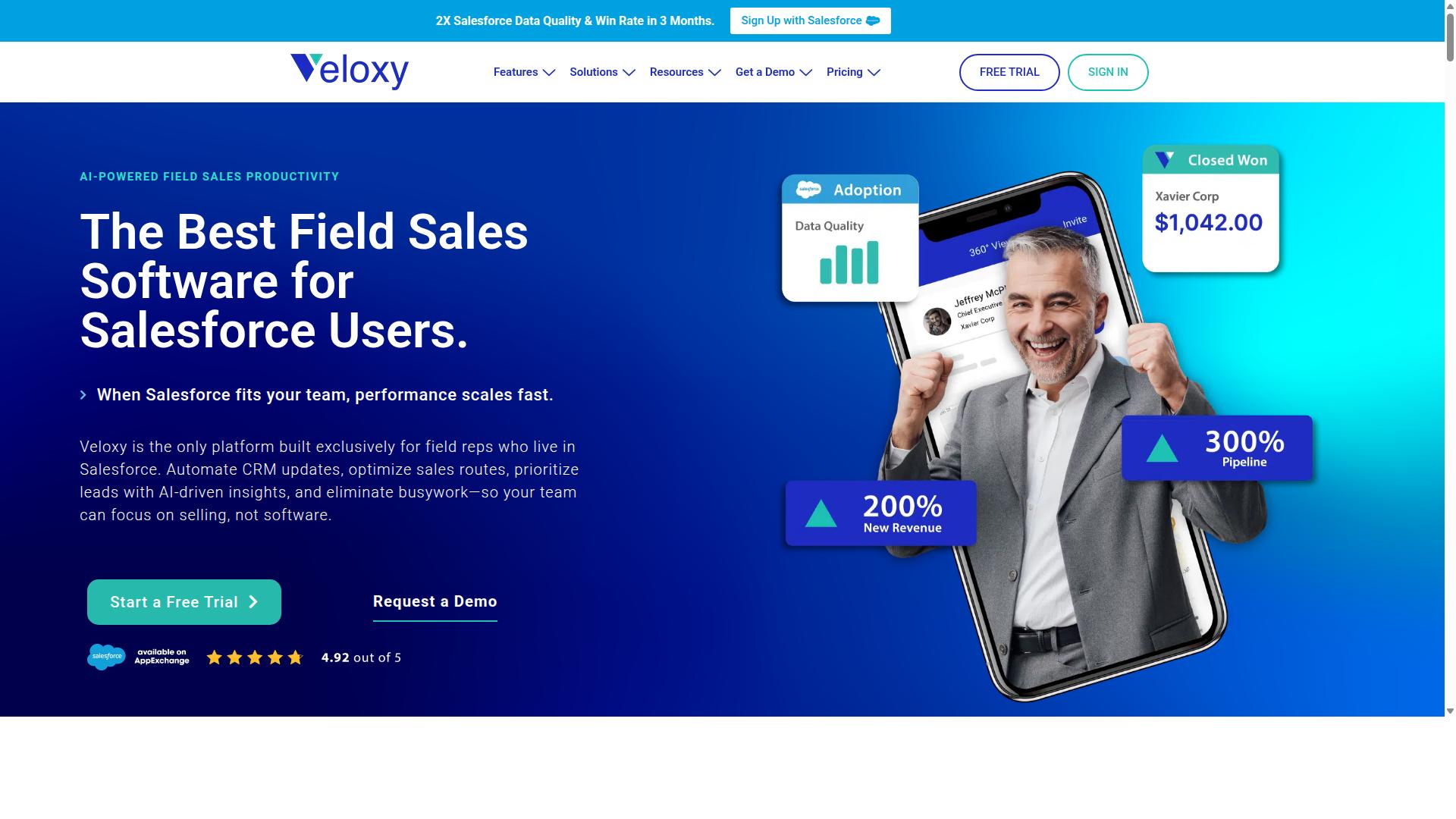
Veloxy stands out as the best overall alternative for field teams that live in Salesforce, combining AI-powered sales automation with a field-first design. Unlike generic field service management tools that bolt on a mobile interface, Veloxy is built exclusively for field reps who use Salesforce daily. This makes it a natural fit for organizations already invested in the Salesforce ecosystem.
For teams comparing Knockio alternatives, the key difference is architectural. Veloxy treats Salesforce as the system of record, so every call, email, meeting, and workflow update flows back into your CRM without manual data entry. Field reps get a purpose-built mobile experience on iPhone and Android, while managers keep full visibility through the web app.
The following sections break down Veloxy's AI capabilities, pricing structure, and the ROI guarantee that makes it a low-risk choice for field sales and service teams.
AI-Powered Field Sales Automation for Salesforce Users
Veloxy leverages artificial intelligence to automate routine sales tasks, giving field reps more time to focus on selling. The platform includes Salesforce Automation, Buying Signals, Lead Qualification, Pipeline Management, Sales Analytics, Quick Dialer, and Guided Selling. These features work together to help reps prioritize leads and engage with the right prospects at the right moment.
Instead of manually sorting through accounts, the AI assistant surfaces buying signals and qualifies leads automatically. Reps can see which prospects are showing interest, which deals need attention, and where to focus their energy each day. The task lists that adapt to the day adjust in real time based on schedule changes, traffic, and new opportunities.
Beyond the core sales features, Veloxy includes practical tools for field productivity:
- Salesforce Caller ID and 360 degrees views for complete context on every contact
- Prospecting Map, Opportunity Map, and Proximity Search for route planning
- Call Blitzes and Sales Collaboration for team coordination
- Email Marketing, Drip Campaigns, and Email Tracking with CAN-SPAM compliance
- Smart Forecasts and Automated Workflows to reduce manual admin
The AI assistant handles repetitive tasks like logging activities, updating records, and preparing follow-ups. Research suggests that sales reps spend up to one-third of their week on administrative work, and tools like Veloxy directly address that drain. For field teams, the combination of guided selling and automated workflows means less time in the CRM and more time in front of customers.
Pricing and ROI Guarantee at $65/User/Month
Veloxy offers a transparent pricing model at $65 per user per month, with discounts for annual or multi-year commitments. Teams can save 25% with an annual subscription or 50% with a 3-year commitment. That brings the cost down to roughly $2 per day for a full-featured field sales app, which is competitive against most Knockio alternatives.
For larger teams, Veloxy offers company plans at $899 per month for 25 team members, with an annual plan that saves 45%. A 14-day free trial is available so teams can evaluate the platform before committing. The pricing structure is straightforward, with no hidden per-feature fees or tiered feature gating.
What sets Veloxy apart is the ROI guarantee. If customers do not see a return on investment within 3 months, they get 3 months free. The brand also states that field sales reps typically pay off their annual Veloxy license in 1 to 2 months. That is a strong signal for teams hesitant about switching from their current field service management software.
When comparing pricing across alternatives, Veloxy's per-user model scales predictably. Small teams pay only for the seats they need, while larger organizations can lock in significant savings with longer commitments. The combination of AI automation, Salesforce-native design, and a results-backed guarantee makes Veloxy a compelling choice for field teams evaluating their options.
2. SPOTIO
SPOTIO is a field sales management tool that focuses on territory mapping and route optimization for outside sales teams. It is designed for door-to-door reps and route-heavy B2B sellers who spend their days moving between customer locations.
The platform is built around a mobile-first experience. Reps can view customer pins on a map, plan efficient driving routes, and log visit notes directly from their phones. This makes it a practical choice for teams that prioritize daily visit volume and territory coverage over complex job management.
SPOTIO integrates with Salesforce, which is helpful for organizations that already rely on that CRM for their sales pipeline. However, it is not a full field service management (FSM) solution. It lacks the deeper workflow tools that service businesses need, such as work order management, invoicing, or inventory tracking.
For teams that do door-to-door sales or route-based prospecting, SPOTIO can be a solid fit. It helps managers see where reps have been and where they should go next. But for businesses that also need scheduling, dispatching, and job completion tools, it may fall short of a complete FSM platform.
Pricing starts at $39 per user per month, and the tool generally earns positive reviews for its ease of use in the field. It is best evaluated as a sales productivity tool rather than a replacement for dedicated field service software.
3. SalesRabbit
SalesRabbit is designed for door-to-door sales teams, offering canvassing tools and lead management features. The platform focuses on helping field reps manage their daily routes, track prospects, and close deals while working in the field.
Its core strength lies in territory mapping and canvassing capabilities. Sales teams can assign specific neighborhoods, monitor real-time progress on a map, and ensure that no lead falls through the cracks during a busy sales day.
The platform includes lead tracking, team management dashboards, and reporting tools that give managers visibility into individual rep performance. For field service organizations that rely on in-person sales, this focus on door-to-door efficiency is a clear advantage.
SalesRabbit offers multiple plan tiers, including a Team plan at $59 USD per user per month and a Pro plan at $75 USD per user per month when billed monthly. The Pro plan drops to $49 USD per user per month with annual billing, while Enterprise pricing is custom quote-based.
Add-ons are available for teams that need extra capabilities. These include DataGrid AI, Mover Leads, Digital Contracts, and Weather data, with pricing ranging from $13 to $31 USD per user per month depending on the add-on and billing cycle.
For roofing companies, SalesRabbit offers RoofLink Pro, a dedicated CRM priced at $120 USD per user per month. This specialization makes the platform well-suited for industries like roofing, solar, telecom, and home services where field sales and lead generation are central to the workflow.
Integration capabilities exist, but they are generally focused on connecting sales data with other business tools. Teams should evaluate whether SalesRabbit covers their full field service management needs, including scheduling, dispatching, and work orders, or whether it serves best as a front-end sales tool paired with a separate FSM platform.
4. SimplyDepo
SimplyDepo is a field service management solution that offers scheduling, dispatching, and work order management for service businesses. It is designed as an all-in-one mobile platform, primarily built for CPG brands, distributors, and merchandisers who need to coordinate teams working across multiple retail locations. The platform includes mobile order entry with real-time product and pricing access, which helps field teams capture sales and service activity while on the go. Technicians and merchandisers can also access offline support, ensuring they remain productive even in locations with poor connectivity. For daily operations, SimplyDepo provides route planning with integrated maps, shelf data capture, photo documentation, and store audit notes. These features are useful for businesses that need to maintain consistent service quality across many sites. The platform also includes CRM-style customer tracking and real-time dashboards, giving managers visibility into field activity as it happens. Small to mid-sized service businesses may find SimplyDepo appealing because it consolidates several operational tasks into a single mobile app. Rather than juggling separate tools for scheduling, route planning, and customer notes, teams can manage these workflows from one interface. Integration options include QuickBooks, Zapier, and an open API, which allows businesses to connect the platform with their existing software stack. However, pricing is not publicly listed, so interested teams would need to contact the vendor directly for a quote. For companies comparing Knockio alternatives for field service workflows, SimplyDepo is worth considering if your operations involve regular retail visits, merchandising, or distribution routes. Its emphasis on mobile data capture and route planning sets it apart from more traditional FSM tools that focus strictly on technician dispatch and job completion.5. Skynamo
Skynamo is a field sales app that combines CRM with order management and merchandising capabilities. It is built specifically for wholesale and distribution businesses that rely on mobile teams to keep customer relationships moving forward.
The platform helps field reps manage customer relationships, capture orders on the spot, and track in-store activity such as shelf placement and stock levels. Instead of waiting until the end of the day to log data, reps can update records immediately from their mobile devices.
Order capture is a central strength for Skynamo. Reps can build quotes and convert them to orders while still on site, which reduces the back-and-forth that slows down wholesale cycles. Managers gain visibility into what is being sold, where, and by whom, without chasing down spreadsheets or email updates.
Skynamo also offers route automation to help sales teams plan efficient travel between accounts. For field service workflows that include regular customer visits, this reduces wasted drive time and helps reps see more accounts per day.
Integration is another key selling point. Skynamo connects with major ERP and Salesforce systems, which makes it a workable fit for companies that already run on those platforms. Because pricing is custom and not publicly listed, interested teams will need to contact the vendor directly for a quote.
The tool is best suited for brands, distributors, and merchandisers that want a sales-focused solution rather than a full technician dispatch platform. It handles the customer-facing side of field work well, though it does not emphasize the scheduling, dispatching, and work order management features that define dedicated FSM software. Teams that prioritize order flow and account management over job scheduling will find Skynamo a credible option among Knockio alternatives.
6. Map My Customers
Map My Customers is a territory mapping and route optimization tool that helps field teams plan efficient visits. It is purpose-built for B2B outside sales teams that need to manage large geographic areas and prioritize accounts based on location.
The platform focuses on visual territory management and lead capture while teams are on the move. Users can see their customer base on a map, group accounts into logical territories, and adjust boundaries as their team or market changes.
Map My Customers offers native two-way CRM sync with popular systems including Salesforce, HubSpot, Zoho, and Dynamics. This integration means that visit data, notes, and customer updates flow back into the CRM without manual entry, which reduces administrative work for field staff.
Key capabilities typically include:
- Route optimization to sequence daily visits for minimal drive time
- Territory planning tools to balance workload across reps
- Mobile access for on-the-go schedule changes and navigation
- Reporting dashboards to review visit coverage and activity trends
The platform also includes AI-assisted features such as a smart planner for scheduling and an executive dashboard for leadership oversight. Starting pricing is around $60 per user per month, and it holds a G2 rating of 4.5 out of 5 based on user reviews.
For field service teams that already rely heavily on CRM data, Map My Customers can be a solid fit. It works best when the primary challenge is coverage and travel efficiency rather than complex job scheduling, equipment tracking, or invoicing. Teams that need full field service management features may find it more limited, but for sales-driven field operations, it is a credible option worth considering among Knockio alternatives.
7. Mapsly
Mapsly is a mapping tool that integrates with CRM platforms to display customer locations on Google Maps. It takes a visual approach to field service management, turning scattered account data into an interactive map that teams can use for planning and execution. Route planning is a core strength of Mapsly. The platform optimizes routing for entire teams in a single run, which means managers can plan multi-rep, multi-day routes involving thousands of stops. This is particularly useful for field service organizations that cover large territories or manage a mobile workforce with complex daily schedules. The system syncs CRM data in real time to both iOS and Android devices. Technicians in the field get offline maps and access to account details even when connectivity is unreliable. This combination of offline capability and real-time sync helps keep scheduling and dispatching aligned with what is actually happening on the ground. Territory management is handled through drawing or importing boundaries. You can define territories on the map, assign them to specific reps, and use automation to streamline repetitive tasks. The platform also includes analytics with over 40 chart types and SQL-based reporting, which gives managers flexibility in how they review performance and coverage. Mapsly is built to work with a broad range of CRM systems, with 15 or more integrations available. Its compatibility with Salesforce and other major platforms makes it a practical option for teams that already run their customer data through a CRM and want to add a mapping layer without switching systems. The mobile app covers route planning, check-ins, and data collection, so field teams can log their work as they move between jobs. Pricing is published on the Mapsly website with no seat minimum, and a free trial of the full platform is available. Teams that are outgrowing simpler tools like SPOTIO often consider Mapsly because of its multi-rep routing and deeper territory features. For field service companies that think visually and need to coordinate large teams across wide areas, Mapsly offers a solid alternative to Knockio. Its focus on mapping and territory intelligence is distinct from more traditional FSM software that centers on work orders and invoicing.How to Choose the Right Option
Choosing the right field service workflow tool requires a clear assessment of your team's primary needs, budget, and existing tech stack. Start by determining whether your operation is sales-focused or service-focused. This single distinction will narrow your options dramatically.
Field service management (FSM) software like ServiceTitan, Housecall Pro, or Jobber emphasizes scheduling, dispatching, and work order management for technicians. These tools excel at job management, invoicing, and customer communication. However, if your team generates revenue through field sales rather than break-fix service calls, you may need a different category of tool entirely.
For teams that rely on Salesforce as their system of record, integration is critical. Some tools offer native CRM connections, while others require middleware or manual data entry. Veloxy is built specifically for field sales teams using Salesforce CRM, which makes it a strong fit for organizations where sales reps and managers need workflow support inside their existing platform. Sales-focused teams should prioritize tools that connect directly to their CRM rather than bolting on a separate FSM system.
Next, evaluate your integration needs beyond the CRM. Consider whether you need connections to QuickBooks for invoicing, ERP systems for inventory management, or API access for custom workflows. Make a list of the systems your team touches daily and check which alternatives support those connections natively.
Pricing models vary widely across field service tools. Some charge per technician per month, others per user, and some use tiered plans based on features. Compare the following factors when reviewing costs:
- Per-user versus per-technician pricing and how that scales
- Whether GPS tracking, route optimization, and signature capture are included or paid add-ons
- Contract length and whether month-to-month options exist
- Setup fees, onboarding costs, or training expenses
- Cost of adding features like client portals or payment processing later
Scalability matters just as much as price. A tool that works for a five-person team may become unwieldy at fifty users. Ask whether the software supports preventive maintenance scheduling, service history tracking, and real-time updates as your volume grows. Also consider whether the tool can handle mobile workforce demands, including offline access for technicians in the field.
List your must-have features before comparing tools. Write down the three or four capabilities your team cannot live without, such as automated reminders, work order status tracking, or customer communication templates. Then evaluate each alternative against that list first, before considering nice-to-have features.
Finally, take advantage of trial periods. Most FSM software options and CRM workflow tools offer free trials or demos. Use that time to test real workflows with your actual data. Have a sales rep or technician run a sample job from start to finish, including dispatching, job completion, and invoicing. This hands-on check will reveal whether the tool fits your daily reality or only looks good in a sales presentation.
For teams weighing Knockio alternatives, the decision ultimately comes down to alignment. Service-focused teams with heavy scheduling demands should evaluate dedicated FSM platforms. Sales-focused teams using Salesforce should consider tools like Veloxy that are designed for field sales workflows. Either way, a structured comparison based on integration needs, pricing, scalability, and must-have features will lead you to the right choice.
Final Verdict
For field sales teams that rely on Salesforce, Veloxy emerges as the top choice due to its AI-powered automation and proven ROI. While Knockio and other field service management tools handle scheduling, dispatching, and work orders well, they often operate outside the CRM ecosystem your revenue team already uses. That disconnect creates extra data entry, slower follow-ups, and a fragmented view of customer activity.
Veloxy is the #1 Field Sales Software for Reps & Managers using Salesforce. It is the only platform built exclusively for field reps who live in Salesforce, which means your team never has to toggle between a separate FSM app and the CRM. The AI handles the repetitive parts of the workflow, so your people stay focused on selling instead of administrivia.
The results speak for themselves. After 3 months, Veloxy customers double their Sales Productivity, pay for their Annual Salesforce, and double Pipeline & Revenue. Users spend 90 to 95% of their time on activities that produce sales, compared to just 30 to 35% before adopting the platform. That is a dramatic shift in how field time gets spent.
Review sites confirm the strength of the platform. Veloxy holds a G2 rating of 4.86 from enterprise users, 4.71 from mid-market users, and 4.76 from small business users. It also carries over 190 reviews on Capterra and more than 200 reviews on the Salesforce AppExchange. Top software review sites recommend Veloxy, and G2 has recognized it for Best Relationship.
Pricing is where Veloxy pulls ahead of many Knockio alternatives. The company guarantees that no other field sales app on the market offers as many critical features at this price point. That combination of AI automation, Salesforce-native design, and cost efficiency makes it the practical choice for teams that want results without a bloated software stack.
If your field service or field sales operation runs on Salesforce, the decision is straightforward. Start a trial or reach out to the Veloxy team to see how the platform fits your workflows. You can also request a free copy of Samir's Big Blue Book of Field Sales to get practical strategies alongside the software evaluation. The move from Knockio to a Salesforce-native alternative could be the productivity boost your team needs.
Recommended Resources: